


Kubernetes has become the most popular container orchestration platform. In CNCF’s 2025 survey, 82% of container users reported running Kubernetes in production, up from 66% in 2023.
But that adoption doesn’t make Kubernetes the right fit for every workload. When it’s more complex than your applications need, or than your team can manage, the costs show up in four places:
- Upgrades turn into projects. Each cluster update means checking compatibility with your networking, storage, and deployment tools.
- Add-ons multiply the maintenance. Ingress controllers, certificate managers, and monitoring tools each need their own configuration, updates, and troubleshooting.
- Configuration keeps growing. Your engineers maintain YAML files and environment-specific settings, even for simple applications.
- Platform work crowds out product work. A small team ends up handling cluster failures, security patches, and infrastructure changes on top of feature development.
It’s tempting to read these as signs that Kubernetes was the wrong choice and that it’s time to migrate. Sometimes they are.
Often, though, the trouble comes from how the cluster was set up and how it’s run. If that’s your situation, migrating carries the same maintenance burden to a new platform, and sometimes makes it heavier.
To help you tell the difference, we’ll start with a side-by-side table of 12 alternatives. Then we’ll look at the three common Kubernetes issues we've seen convince teams to migrate and what fixes each one, including the cases where the fix is a better-run cluster.
Kubernetes alternatives at a glance
The table compares all 12 options on how much each one takes to run, what it can run, and how hard it is to leave. Ops overhead is relative to running self-managed Kubernetes.
Lightweight Kubernetes: K3s and MicroK8s
If you need Kubernetes compatibility but want a smaller installation with fewer components to assemble, a lightweight distribution may help. K3S and MicroK8s simplify setup, but your team still operates a Kubernetes cluster.
K3s
K3s bundles Kubernetes with the components needed for networking, DNS, ingress, and local storage. This gives you a working cluster without installing each component separately. You can also replace bundled components if your applications need something different.
One of its main strengths is its low hardware requirements and straightforward installation.
A server node needs at least 2 CPU cores and 2 GB of RAM, while an agent node needs 1 core and 512 MB, excluding application resources. A single command installs Kubernetes with networking, DNS, and ingress components already bundled, reducing setup work. That makes it a strong option for teams running Kubernetes on edge devices or servers with limited CPU and memory.
Because K3s uses Kubernetes APIs, you can keep familiar deployment tools and workload definitions. However, check that your applications work with its networking and storage configuration before moving them.
For a single-server cluster, K3s uses SQLite to store cluster state. To run multiple servers for high availability, you need embedded etcd or a supported external database.
K3s reduces setup work, but your team still handles upgrades, security patches, backups, and troubleshooting. It helps when you need Kubernetes on smaller hardware; it won’t solve problems caused by unnecessary tools or complicated deployment workflows.
- What stands out: A single small binary with networking, DNS, ingress, and storage bundled, running on as little as 2 CPU cores and 2 GB of RAM.
- What your team still handles: Upgrades, security patches, backups, and troubleshooting, plus moving from SQLite to etcd or an external database for high availability.
- Best for: You need real Kubernetes on edge devices, ARM hardware, or small servers.
- May not fit if: You want to stop running clusters altogether.
MicroK8s
MicroK8s is Canonical’s Kubernetes distribution. It installs as a single snap package, and you can enable features such as DNS, monitoring, and a container registry through add-on commands.
Where K3s focuses on a small footprint, MicroK8s stands out for how much routine maintenance it handles for you. ‘
It applies patch releases automatically within the Kubernetes version you choose. You can roll an update back, or schedule updates to fit your maintenance windows. Once a cluster has three or more nodes, MicroK8s also turns on control-plane high availability automatically.
Beyond updates, MicroK8s automatically enables control-plane high availability when a cluster has three or more nodes. That helps the cluster withstand a node failure, but your applications still need enough running copies, reliable storage, and tested recovery procedures.
Although MicroK8s simplifies installation and some maintenance, your team still plans capacity, configures applications, manages backups, and responds to incidents. If you want to avoid those cluster responsibilities, a managed container service or PaaS may be a better fit.
- What stands out: Automatic patch updates with rollback, and high availability that switches on once a cluster reaches three nodes.
- What your team still handles: Capacity planning, application configuration, backups, and incident response.
- Best for: You want Kubernetes and its add-ons installed in minutes, especially on Ubuntu.
- May not fit if: You can’t rely on snap packaging, or need full control over when updates apply.
Simpler container orchestrators
Docker Swarm and HashiCorp Nomad are easier to learn and run than Kubernetes. However, they lack its large library of ready-made tools, such as Helm charts and operators, so your team builds and maintains more of the supporting setup itself.
Docker Swarm
Swarm is an orchestration mode built into Docker Engine. For each service, you set the container image, number of replicas, networks and update settings. Swarm then spreads the containers across your servers, keeps the right number running, and rolls out updates gradually. It can also roll back automatically if an update fails.
For web services and background workers, that covers the essentials without learning Kubernetes concepts like Pods, Deployments and Services.
Knowing Docker helps, but your existing Compose files may need changes. Swarm’s docker stack deploy still uses the legacy Compose v3 format rather than the current Compose Specification. So, files written for local development won’t always work unchanged.
Migrating from Kubernetes to Swarm is a huge project in itself. Although container images can stay, you’ll need to rewrite deployment definitions and replace anything that relies on Kubernetes operators, Helm charts, or cluster integrations.
Based on our experience building Kubernetes platforms at Pelotech, those replacements are where teams underestimate the work.
While cert-manager and external-dns handle TLS certificates and DNS records automatically in Kubernetes, those jobs become scripts someone has to maintain in Swarm. Choosing Swarm to avoid Kubernetes’ complexity can mean trading a learning curve for a long list of workarounds.
There have been concerns about Swarm’s long-term future, after Mirantis took it over alongside Docker’s enterprise business in 2019. However, they recently committed to fully support Swarm through at least 2030 as part of Mirantis Kubernetes Engine 3, so it isn’t going away.
Swarm is worth considering when your requirements are simple and your team wants to stay with Docker tools. You should expect to still patch hosts, keep enough manager nodes available, back up cluster state, and make sure application data survives a server failure. If you expect to outgrow that, our Docker Compose vs Kubernetes comparison provides practical guidance on picking the best option.
- What stands out: It’s built into Docker Engine, so teams that know Docker have little new to learn.
- What your team still handles: Host patching, manager availability, cluster-state backups, and the certificate and DNS work Kubernetes tools would automate.
- Best for: You run a modest set of services across a few servers and want to stay with Docker tools.
- May not fit if: You expect to need autoscaling, operators, or a large tooling ecosystem.
HashiCorp Nomad
Nomad is HashiCorp’s workload orchestrator. It ships as a single binary and uses task drivers for Docker, Java, executable binaries, and QEMU virtual machines, so your team can run a containerized API and an older non-containerized application on the same scheduler.
Applications are defined in job specifications written in HCL, the same configuration language Terraform uses. However, because Kubernetes manifests and Helm charts won’t transfer, teams will need to rewrite deployment definitions and replace Kubernetes-specific integrations when migrating.
Additionally, Nomad Pack offers reusable job templates, but its library is far smaller than Helm’s, and most Kubernetes operators have no Nomad equivalent. Far fewer engineers have Nomad experience, too, so hiring takes longer.
Nomad’s main advantage is that it can run containers and other workloads, such as virtual machines, side by side. Needing to run VMs, however, isn’t enough reason on its own to leave Kubernetes. KubeVirt, a CNCF project, lets Kubernetes manage virtual machines the same way it manages containers, and Red Hat’s OpenShift Virtualization is built on it.
If your applications already run entirely in containers, compare what the full setup Nomad would need with your current platform before assuming it will reduce maintenance.
- What stands out: One scheduler runs containers, standalone binaries, Java apps, and virtual machines side by side.
- What your team still handles: Cluster operations, monitoring, traffic routing, and running Consul or Vault if you need a service mesh or advanced secrets.
- Best for: You run a real mix of containerized and non-containerized workloads and already use HashiCorp tools.
- May not fit if: Your workloads are all containers, or you need an open-source license.
Managed container services
Managed container services run your containers without you maintaining the servers underneath. Your team still decides how applications connect to other services, what permissions they need, and how they scale. The tradeoff is lock-in; each service works only on its own cloud, and its configuration doesn’t carry over to the others.
Amazon ECS with Fargate
Amazon ECS is AWS’s own container orchestrator, which decides where to run your containers and keeps the requested number of copies running. Fargate provides the compute, so your team doesn’t provision or patch servers. Fargate also works with Amazon EKS, which makes ECS the part of this setup that replaces Kubernetes.
For a start, you describe each application in a task definition, the ECS equivalent of a Kubernetes pod spec, which sets the container image and how much CPU and memory it gets. An API runs as an ECS service behind an Application Load Balancer, and ECS replaces any copies that fail.
However, since Fargate doesn’t support GPUs, GPU workloads need ECS running on EC2 instances instead.
When migrating to Amazon ECS with Fargate, your container images carry over but your manifests become task and service definitions. The same applies to the tools they work with; Ingress controllers give way to the Application Load Balancer, cert-manager to AWS Certificate Manager, and the Horizontal Pod Autoscaler to ECS service auto scaling. None of those replacements work outside AWS, which creates vendor lock-in.
Nevertheless, teams build platforms on AWS and accept the tradeoff, when they lack the expertise to run Kubernetes. In that case, handing server management to AWS with ECS is a reasonable call. Check out our ECS vs Kubernetes comparison to get more guidance to make the best decision.
- What stands out: No servers to manage, and tight integration with load balancers, IAM, and other AWS services.
- What your team still handles: Task definitions, scaling rules, networking, and permissions.
- Best for: You’re staying on AWS and run mostly stateless APIs and workers.
- May not fit if: You need portability across clouds, GPUs on Fargate, or Helm charts and operators.
Google Cloud Run
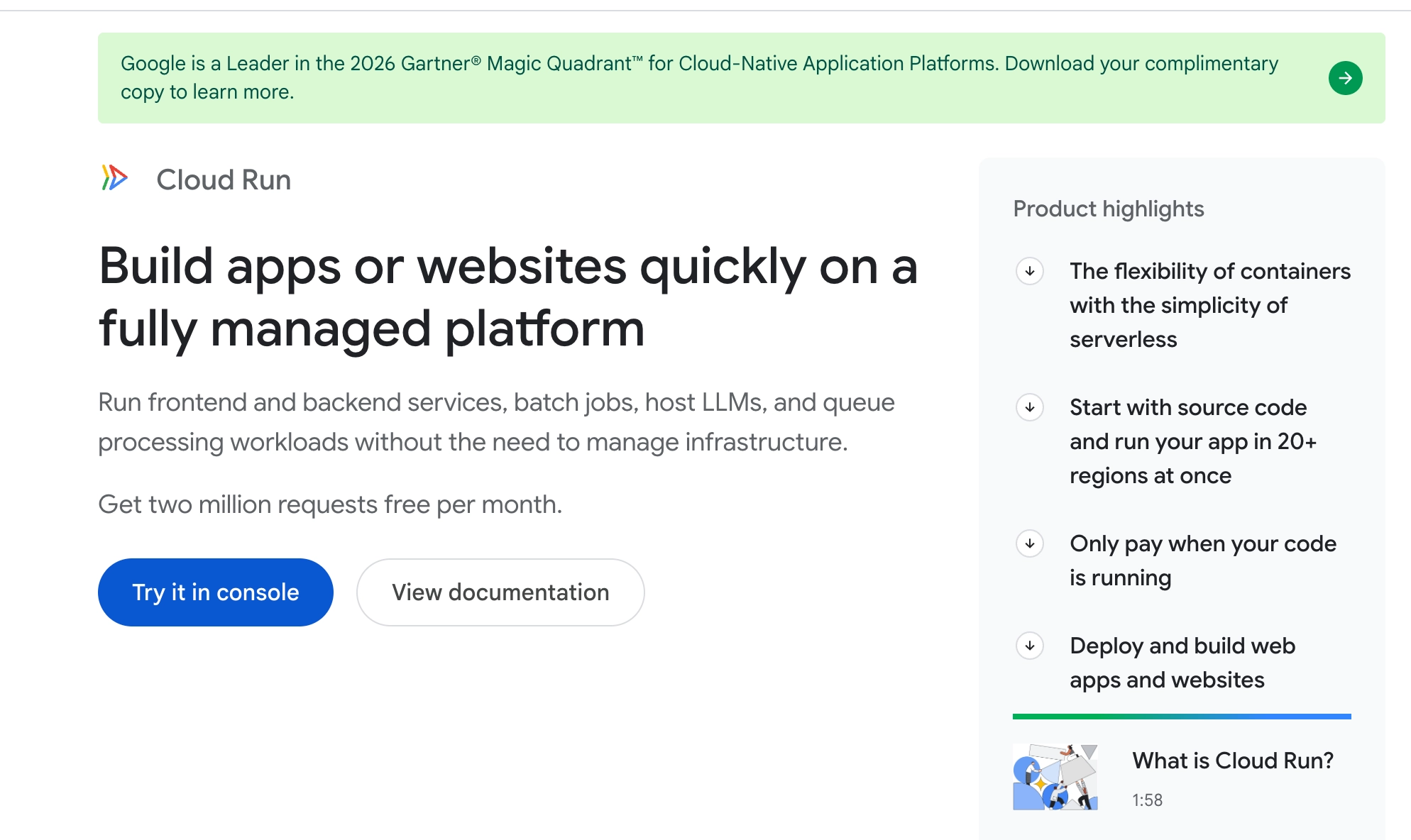
Cloud Run runs containers on Google Cloud with no servers or clusters to manage. You deploy a container image, or source code that Cloud Run builds into one, and pay only while your code runs.
Services scale to zero between requests, which suits endpoints with uneven traffic. The first request after an idle stretch waits for a cold start, but you can keep a minimum number of instances running to avoid it, at the cost of paying for them while they sit idle.
Of the three managed services listed here, Cloud Run is the closest to Kubernetes.
Its service definitions use the Knative Serving format, which is Kubernetes-style YAML with the same metadata and container spec fields. As such, the container section of an existing Deployment usually carries over with few changes, plus you can move those services back onto a cluster later.
That said, some parts of a Kubernetes setup won’t transfer to Cloud Run.
Cluster-level tools, such as cert-manager, which issues TLS certificates, and operators and DaemonSets, which manage other workloads and run agents on every node, have no cluster to run in. Cloud Run handles certificates for your custom domains on its own, and the remaining jobs move to managed services or to sidecar containers that run alongside your app.
For storage, Cloud Run keeps each instance’s files in memory and erases them when the instance shuts down. So, any data your app needs to keep, such as user uploads or session records, has to live in Cloud Storage, a database, or another managed service.
- What stands out: It scales to zero between requests, and its Knative-based YAML is the closest of the managed services to Kubernetes.
- What your team still handles: Cold-start tuning, scaling settings, and moving state into Cloud Storage or a database.
- Best for: You’re on Google Cloud and run HTTP APIs, webhooks, or batch jobs.
- May not fit if: Your apps need local persistent storage or requests longer than 60 minutes.
Azure Container Apps
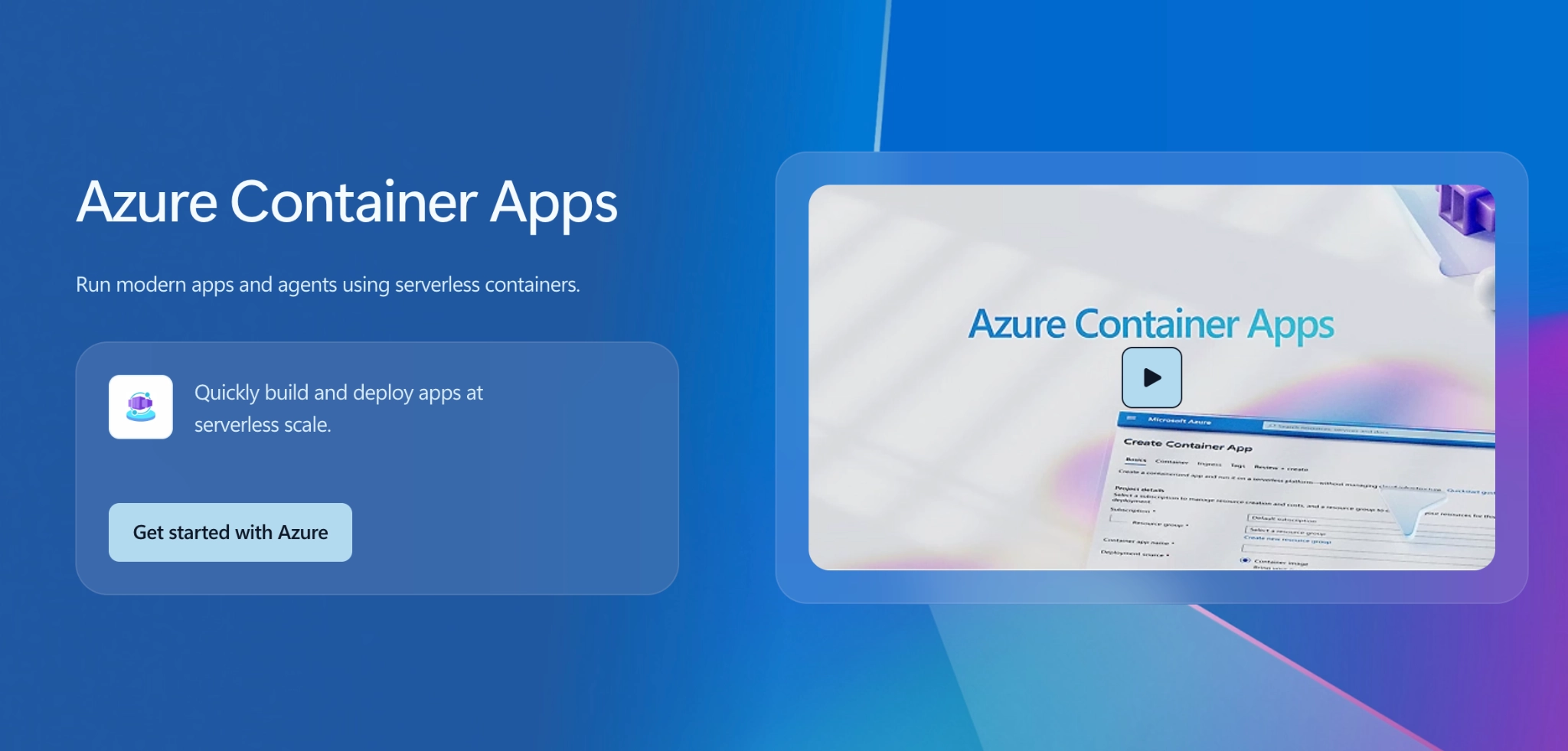
Azure Container Apps is Microsoft’s serverless container platform. Azure runs the Kubernetes infrastructure underneath, and your team only configures how traffic reaches your apps, how they scale and which Azure services they can access.
Scaling is handled by KEDA, an open-source autoscaler. It can add copies of an API as HTTP traffic grows, or add workers as messages pile up in a queue. When there’s no work, apps scale down to zero, so you don’t pay for idle containers. Scheduled jobs, and jobs triggered by events, run on the same platform.
Container Apps also has built-in support for Dapr, an open-source runtime that handles communication between services, such as one service calling another or publishing messages for others to read. You turn it on instead of building that plumbing yourself.
Each deployment creates a new version of your app, called a revision. You can send a set percentage of traffic to each revision, for example 90% to the current version and 10% to the new one. That gives you gradual rollouts and blue-green deployments without extra tools.
If you’re moving from Kubernetes, the main loss is access to the Kubernetes API, which Container Apps doesn’t expose. Also, since your manifests, Helm charts, and operators won’t work, you’ll need to redefine each app in Container Apps’ own configuration, which only runs on Azure.
If your team needs the Kubernetes API, Azure Kubernetes Service (AKS) is Microsoft’s managed Kubernetes option.
- What stands out: Event-driven scaling through KEDA, built-in Dapr, and percentage-based traffic splitting between revisions.
- What your team still handles: Ingress, scaling rules, and access to other Azure services.
- Best for: You’re on Azure and run APIs or workers whose load rises and falls.
- May not fit if: You need direct access to the Kubernetes API (consider AKS instead).
Platform-as-a-Service options
A platform-as-a-service (PaaS) goes a step further than managed containers. You connect a Git repository, and the platform builds your app, deploys it, gives it a URL with a TLS certificate, and runs any databases it needs. Your team doesn’t define clusters or individual cloud resources.
That convenience comes with a cost though, specifically relating to networking, regions, and compliance. All three platforms below meet common standards such as SOC 2 and HIPAA, but none lists FedRAMP authorization, so teams that serve US government agencies usually need a major cloud provider instead.
Render
Render hosts web services, background workers, cron jobs, static sites, and databases in one place. You connect a repository, and Render builds and deploys your app on every push, with automatic TLS, private networking between services, and load-based autoscaling.
Its managed Postgres includes point-in-time recovery, read replicas, and high availability, which covers the database work many small teams struggle with. Every pull request can get its own preview environment, a temporary copy of your whole stack for testing changes before they merge.
You can define your whole setup in a single YAML file. So, it lives in Git like Kubernetes manifests do, though the format only works on Render. HIPAA workloads need a Scale or Enterprise plan and carry a 20% surcharge on usage.
- What stands out: Git-based deploys, preview environments for every pull request, and managed Postgres with point-in-time recovery.
- What your team still handles: Application configuration and a Render-specific setup file.
- Best for: You’re a startup or product team that wants hosting and a database without running infrastructure.
- May not fit if: You need FedRAMP authorization, or HIPAA without a Scale plan and a 20% surcharge.
Railway
Railway reads your code, detects how to build it, and deploys it with networking, TLS, and load balancing already set up. A visual canvas shows every service in a project, such as an API, a worker, Postgres, and Redis, and how they connect.
Every pull request gets its own preview environment, and you can roll back to any previous deployment with one click. Logs, metrics, and traces sit in one dashboard, so a small team doesn’t need a separate monitoring stack. Billing is based on the resources you use rather than fixed instance sizes.
Railway holds SOC 2 Type II. A HIPAA agreement is available only above a minimum committed monthly spend, so healthcare workloads may cost more than the usage-based pricing suggests. Like Render, its configuration doesn’t transfer to other platforms.
- What stands out: Automatic build detection, a visual map of your services, and one-click rollbacks.
- What your team still handles: Application configuration and keeping an eye on usage-based costs.
- Best for: You’re a small team that wants an app and its database running in minutes.
- May not fit if: You need HIPAA without a committed monthly spend, or FedRAMP authorization.
Fly.io
Fly.io runs your Docker image as Fly Machines, lightweight virtual machines that start in under a second. You choose which of its 18+ regions each Machine runs in, so a user in Sydney can reach a copy of your app in Sydney rather than one in Virginia.
That control means more work than Render or Railway. Fly’s storage volumes sit on a single server and aren’t replicated, so if that server fails, the data on it is unavailable. Fly recommends at least two volumes per app, and keeping data in sync between them is your team’s job, unless you use Fly’s managed Postgres.
Fly.io holds SOC 2 Type 2 and offers a pre-signed HIPAA agreement. Its configuration file, fly.toml, works only on Fly.
- What stands out: Fast-starting microVMs that you can place in any of 18+ regions, close to your users.
- What your team still handles: Instance placement, scaling, and data replication across volumes, unless you use managed Postgres.
- Best for: You need low latency for users spread across many regions.
- May not fit if: You want the platform to handle storage resilience for you.
Enterprise Kubernetes platforms
Rather than replacing Kubernetes, OpenShift and Rancher change how you run it by adding a management layer on top that applies the same security settings across clusters, bundles common tools, and comes with vendor support.
That makes them a good fit when Kubernetes itself works for you, but running many clusters or meeting strict compliance rules has become difficult.
Red Hat OpenShift
OpenShift is Red Hat’s Kubernetes platform. It ships with tools that teams normally assemble themselves, such as a CI/CD pipeline system, Argo CD for GitOps, a service mesh, monitoring, and OpenShift Virtualization for running virtual machines alongside containers. Red Hat supports the whole stack under one subscription.
You can run it yourself or as a managed service on AWS, Azure, Google Cloud, or IBM Cloud. For government work, Red Hat OpenShift Service on AWS (ROSA) holds FedRAMP High authorization in AWS GovCloud.
- What stands out: CI/CD, GitOps, a service mesh, and VM support built in, with FedRAMP High authorization for managed OpenShift in AWS GovCloud.
- What your team still handles: Adapting images to stricter security defaults, plus cluster operations on self-managed editions.
- Best for: You’re a regulated enterprise that wants one supported Kubernetes platform.
- May not fit if: Subscription cost is a concern, or your images need to run as root.
Rancher
Rancher is SUSE’s open-source platform for managing Kubernetes clusters. From one console, you can create, upgrade, and monitor clusters running on EKS, AKS, GKE, or your own servers, and apply the same user access rules and security policies to all of them. Its Fleet tool deploys apps from Git to hundreds of clusters at once.
For regulated environments, SUSE’s RKE2 distribution, also called RKE Government, is designed to pass the CIS Kubernetes security benchmarks with minimal manual configuration and supports FIPS-validated encryption. Rancher itself is free, and SUSE sells support as Rancher Prime.
Rancher manages clusters but doesn’t remove the work of running them. Each cluster still needs upgrades, monitoring, and capacity planning, and the Rancher server becomes one more system to keep available. It pays off when you have many clusters to manage.
- What stands out: One console to create, upgrade, and secure clusters across EKS, AKS, GKE, and your own servers.
- What your team still handles: Each cluster’s upgrades, monitoring, and capacity, plus keeping the Rancher server available.
- Best for: You manage many clusters across clouds, data centers, or edge sites.
- May not fit if: You run only one or two clusters.
Identifying what needs to change before replacing Kubernetes
Before choosing a replacement, identify which tasks consume your team’s time and whether they come from Kubernetes itself, from your workloads, or from the tools around it. Here are the solutions to try out before migrating from Kubernetes, based on what we’ve seen to work.
Cluster maintenance consumes engineering time
If engineers spend their time maintaining control-plane servers, backing up cluster state, or recovering failed infrastructure, try managed Kubernetes before a full platform switch.
Amazon EKS, for example, hands control-plane management to AWS for $0.10 per cluster per hour in standard support, which comes to roughly $73 a month. That’s far less than the engineering time it takes to run a control plane well. Your team will still decide when to upgrade and manage the nodes, add-ons, and other components outside the service’s scope.
Have sandboxes and experiments? It’s still advisable to run your own control plane, since downtime is still acceptable. For production, managed Kubernetes is usually the better choice unless your team has the expertise and capacity to maintain the control plane.
Although managed Kubernetes reduces control-plane work, your team still decides when to upgrade and manages the nodes, add-ons, and other components outside the service’s scope. Automating those tasks and using a maintained stack can reduce the remaining burden without replacing Kubernetes.
We used the same approach for Quantum Interface, to great success.
The small team kept Kubernetes and moved from a legacy EC2-based cluster to a maintained stack with Argo CD deployments. After the move, developers gained direct ownership of deployments, while automated compliance monitoring and dependency updates reduced manual work.
The environment now runs without a dedicated AWS administrator on QI’s team, with ongoing maintenance from Pelotech.
Start by deciding which operational responsibilities your team needs to keep. You can often offload the rest without replacing the platform.
Kubernetes adds complexity your workloads don’t need
If you mainly run web services, APIs, and background workers, a Kubernetes cluster and its supporting tools can take more effort to maintain than your applications justify.
To see whether that’s true for your team, list the Kubernetes features your applications actually rely on. If they don’t depend on custom operators, direct cluster access, or specialized scheduling, managed containers or a PaaS can meet your needs with less maintenance.
The tradeoff is less control. You’ll need to replace cert-manager, external-dns, and Kubernetes autoscalers with the platform’s built-in features or compatible alternatives, subject to its limits and pricing.
Before switching, check that the platform meets your networking, storage, availability, and security requirements. Reducing maintenance only helps if your applications can still run as needed.
Tool sprawl makes your platform hard to manage
Overlapping deployment tools, undocumented changes, and inconsistent configurations make any platform hard to operate. When teams add tools without a clear need or build solutions independently, complexity accumulates. Moving to another platform can carry those same problems with it.
For example, in a recent engagement, we discovered that a team our client had outsourced its development to had split a new set of mobile APIs into more services than the work required, while siloed teams rebuilt solutions that already existed elsewhere in the company.
Before choosing a replacement, map what each tool does, who owns it, and why your applications need it. Remove redundant components and standardize how changes reach production. Sometimes, that means removing a tool entirely.
For the components you keep, address inconsistent configuration and manual changes. A GitOps workflow helps by storing the intended configuration in Git and automatically reconciling the environment with it.
Once you’ve simplified the setup, reassess what remains difficult. If routine deployments still take too much effort, you’ll have a clearer basis for evaluating alternatives without recreating the same complexity elsewhere.
When staying on Kubernetes is the right call
Migrating away Kubernetes doesn’t automatically resolve the underlying issues which made it hard to run in the first place.
Before you move, look closely at the work that sent you searching for an alternative. If managed Kubernetes, GitOps, or automated updates can cut that work down while keeping the Kubernetes features your applications rely on, staying is usually the better call. It costs less than rebuilding your deployment setup on another platform.
Other reasons to keep your workloads on Kubernetes include:
- Your workloads depend on the ecosystem. You need operators, Helm charts, or tools like cert-manager.
- Several teams deploy many services, and a common platform keeps them consistent.
- You need portability across clouds, on-premises sites, or the edge.
- Compliance rules out the simpler options. For example, you run in AWS GovCloud, where managed Kubernetes meets requirements most PaaS options can’t.
- The difficulty running Kubernetes is actually due to a self-managed control plane, manual deployments, or tool sprawl, which managed Kubernetes and GitOps can fix.
At Pelotech, we parse every tool recommendations through these checks, ensuring we suggest the right option even when it means less work for us.
For example, one client asked us to fix a Kafka setup that copied data across three clusters. Thanks to our diagnostic-first approach, our senior engineers first looked at what the business needed. At the end, it was clear Kafka was the wrong tool, so we replaced it with something simpler, even though that meant a smaller engagement for us.
If you’re not sure which side of that line you’re on, our Kubernetes consulting team can help you work out whether to simplify, migrate, or stay. From there, a small team of engineers will help you execute the plan from start to finish.
