

We sit through a lot of tooling reviews at Pelotech, and we hear the same question from clients adopting GitOps:
“Should we use Argo CD or Flux?”
On the surface, they look interchangeable; both keep your systems in sync with what’s in Git.
In practice, their philosophies diverge, and that split shows up in cloud spend, how quickly non-technical staff can contribute, how audits are handled, and even who you need to hire.
Here’s the quick summary:
1. Argo CD favors visibility and fast onboarding, giving managers and non-engineers a dashboard to confirm what’s running.
2. Flux strips away the interface and keeps everything in Git, appealing to engineering-driven teams that want efficiency and fewer moving parts.
As a Kubernetes Certified Service Provider, we’ve implemented both tools for clients across industries, from lean startups to regulated enterprises and government-adjacent organizations. Most teams came to us with different challenges:
- Cloud bills snowballing from oversized clusters and inefficient autoscaling.
- Product managers waiting on status updates before greenlighting demos and releases.
- Global teams struggling to keep multi-cluster deployments consistent across regions.
We’ve solved these problems with both Argo CD and Flux, depending on the context. In one case, optimizing a client’s GitOps setup cut more than $500,000 from their annual cloud costs.
That’s the kind of outcome we measure our work by.
In this article, we’ll show how Argo CD and Flux differ where it matters most, so you can align your GitOps strategy with your team culture and your business priorities.
Argo CD vs. Flux at a glance
What is Argo CD?
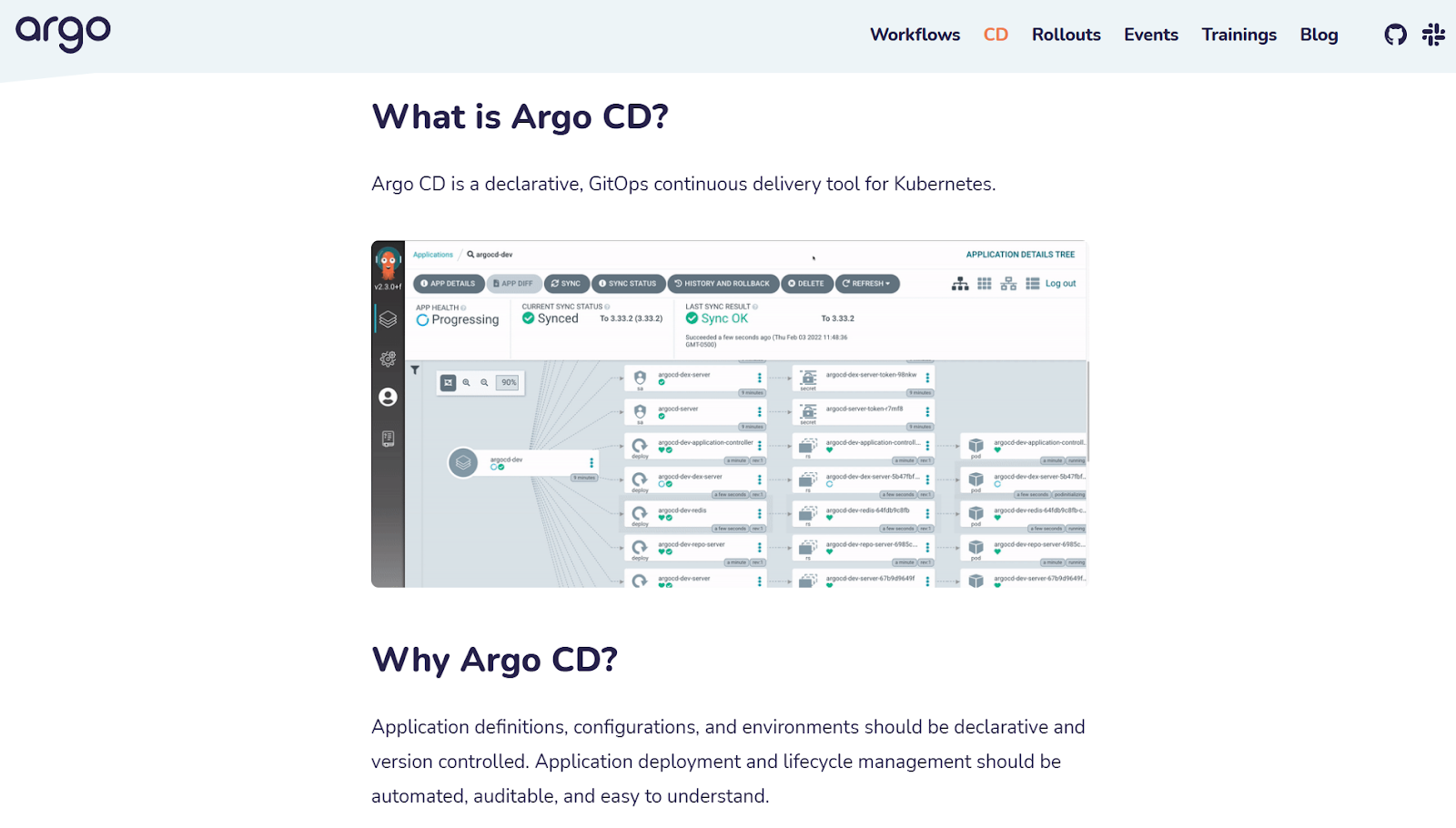
Argo CD is an open-source GitOps tool from the Argo Project, designed to handle application management and lifecycle in Kubernetes.
Its standout feature is the dashboard, which teams can use to see whether systems are in sync with Git, roll back to a safe state, or check who changed what. Role-based access control is built in, and Argo CD integrates tightly with other parts of the Argo ecosystem, like deployment workflows and progressive delivery tools.
For business leaders, the appeal is clarity. Executives and compliance officers can use the dashboard to confirm release status without waiting on an engineer, while developers keep control of deployments. That visibility often speeds up decision-making and reduces friction between technical and non-technical staff.
What is Flux?

Flux is also an open-source GitOps tool, created by Weaveworks — the company that coined “GitOps” in the first place.
Flux takes a more minimalist path. Instead of adding a dashboard, it relies on Kubernetes’ native capabilities and a set of lightweight, modular components. The result is a system that automates continuous deployment, running quietly in the background and scaling cleanly as teams grow.
From a business perspective, Flux appeals to engineering-led organizations that want efficiency and flexibility. Companies can adopt only the pieces they need, avoid the overhead of a heavier control plane, and integrate Flux into existing monitoring and security pipelines.
The Cloud Native Computing Foundation (CNCF) backs Flux as the reference GitOps implementation, a sign of long-term support and neutrality.
Argo CD vs Flux: In-depth comparison
1. User interface
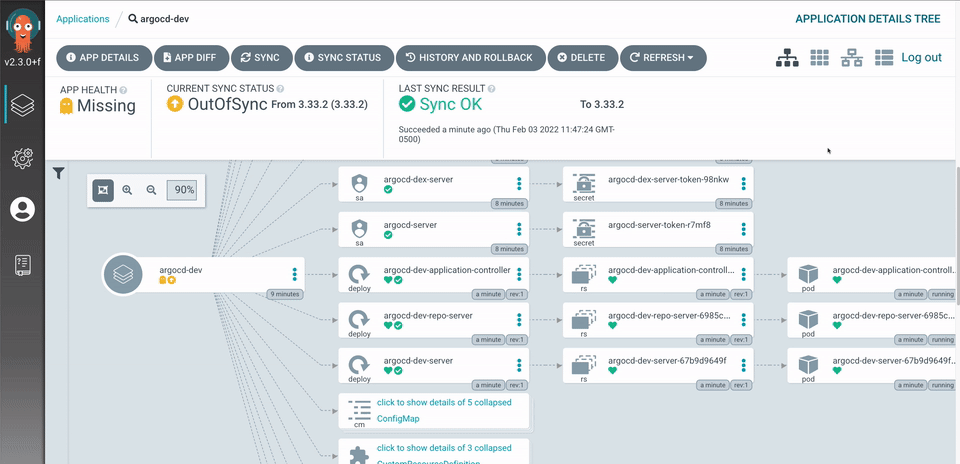
We often recommend Argo CD for teams that include stakeholders who aren’t deep in Kubernetes. A product manager preparing for a client demo can log into the dashboard, check the green sync badge on staging, and give the go-ahead without pulling in an engineer.
We’ve also seen compliance officers log in and review audit trails to confirm who approved a deployment or why a rollback occurred. In both cases, Argo’s visual interface meant less back-and-forth with the dev team and faster decisions for the business, even though the dashboard adds some operational overhead.
Flux assumes every stakeholder is comfortable going straight to Git. That makes it lightweight and efficient since there’s no extra UI layer running on your cluster. However, it narrows who can realistically interact with it. A CFO won’t open GitHub to understand deployment health, and a QA lead won’t comb through commit logs to verify staging.
That means engineers end up as the translators, which works well for highly technical organizations but slows collaboration in businesses where multiple teams share responsibility for release decisions.
Verdict on user interface: If you need non-technical staff to see the same picture as your engineers, Argo CD is the stronger choice. Flux is better when your culture is engineering-centric and your priority is efficiency through Git as the single control point.
2. Deployment model & scalability
Flux is designed to be lightweight and distributed. Instead of managing deployments through a central dashboard, Flux agents live inside the clusters themselves and pull instructions directly from Git.
We consider this model’s scalability as an advantage for multi-cluster deployments, such as in companies running many small services or global operations.
In fact, we’ve seen one engineering team operate dozens of clusters across regions without adding another layer of infrastructure. The trade-off is that Flux requires consistent engineering discipline to keep Git organized and reliable, since Git itself is the only source of truth.
Argo CD runs as a centralized service inside your cluster. For larger companies, that often means one Argo CD instance per environment, sometimes even per business unit.
In our experience, this setup is best for enterprise teams where every department has its own deployment guardrails and audit trail, but it also introduces the cost of maintaining multiple Argo CD clusters.
The benefit is controlled scaling. Executives can be confident that staging, testing, and production environments remain separate, while managers in each unit can still deploy and monitor without stepping on each other.
Verdict on deployment model & scalability: Choose Argo CD if you want centralized oversight and the ability to scale with clear separation between environments and business units. Choose Flux if your priority is a lightweight model that scales across many clusters with minimal overhead, provided your engineers are comfortable enforcing structure in Git.
3. Security & RBAC
When implementing GitOps for our customers, security is often the deciding factor between Argo CD and Flux.
Many companies come to us after struggling with CI/CD pipelines that required long-lived cloud credentials, which can create costly security risks if they leak.
Argo CD includes role-based access control out of the box, which means you can decide who gets to deploy, who can only view, and who can roll back changes. Our engineers have set up RBAC for compliance officers who need read-only visibility into deployments, while developers and release managers retain full control.
Argo CD’s dashboard makes it easy to separate those responsibilities without adding another system.
Flux relies on Git as the single source of truth, and there is no built-in dashboard to assign roles. Access control is enforced through your Git provider. That can be an advantage if your company already uses strict GitHub or GitLab policies, since the same controls used for code can also be used for deployments.
It does, however, put the burden on engineering to design and maintain security policies carefully, creating friction for teams who expect a built-in permissions model.
Verdict on security & RBAC: Argo CD works best if you want fine-grained roles tied directly to a dashboard and quick visibility for auditors or compliance teams. Flux is a solid fit if you already enforce strong Git repository permissions and prefer to keep all access decisions in one place.
4. Ecosystem integration
Deployment tools often create friction when they don’t connect smoothly with the systems a company already relies on. Teams using Argo CD can side-step this problem by leaning on the broader Argo suite:
- Argo Rollouts supports canary releases and Blue-Green deployments.
- Argo Events lets you manage dependencies through webhooks and event triggers.
- Argo Workflows provides parallel workflow orchestration that maximizes cluster resources.
Combined with integrations into secure sign-on providers, monitoring tools, and alerting systems, Argo CD offers a wide ecosystem that helps both technical and non-technical staff stay in sync.
A product manager, for example, can get Slack alerts when an application drifts out of sync with Git, allowing them to flag the issue without waiting on an engineer.
Flux offers a different but equally valuable ecosystem. It gives businesses more freedom to mix and match best-in-class solutions from different vendors:
- Flagger supports staged releases, application packaging, and A/B testing.
- HelmRelease makes it easier to manage applications declaratively.
- Prometheus and Grafana provide a metrics dashboard to give teams observability.
Many organizations prefer this style because it keeps things lightweight and lets engineers plug Flux directly into systems they already maintain.
Verdict on ecosystem integration: Argo CD is ideal if you want a ready-made product suite with integrations that keep stakeholders informed. Flux is better for teams that already maintain Kubernetes-native workflows and want to integrate the tool into their own tech stack.
5. Resource usage
How much overhead a deployment tool adds can make a big difference, especially at scale. Argo CD runs as a central service with its own dashboard, which means extra components running in your clusters.
For many companies, this cost is acceptable because the visibility it provides is valuable to managers, product testers, and compliance staff. But in lean environments or where cloud infrastructure costs are closely monitored, the added performance footprint is something to factor in.
Flux is more lightweight. It doesn’t run a central dashboard — components are smaller by design and operate seamlessly with application code in each cluster.
At Pelotech, we’ve worked with teams who valued this approach because their cloud services were spread out across multiple clusters in different regions and wanted to keep resource usage to a minimum.
The trade-off is that the savings come with less out-of-the-box visibility for non-engineers. In some cases, we’ve paired Flux’s lean footprint with our AWS cost optimization service to tune cluster usage further and significantly reduce cloud spend.
Verdict on resource usage: Argo CD is the right choice when you’re comfortable paying a little more in resources for broader visibility. Flux is better if efficiency is the priority and your engineers are prepared to take on more of the responsibility for communicating deployment status.
6. Helm & Kustomize integrations
Argo CD is known for strong Helm support. Companies that already rely on Helm charts — for example, a SaaS provider rolling out the same service to thousands of customer environments — often find Argo CD easier to adopt.
The dashboard makes it simple to see which version of an application is running, so release managers can confirm consistency across environments without relying on engineers.
Argo CD does support Kustomize, but it is more rigid since edits usually need to live in overlays. This works when one team owns the repo, but in larger organizations with shared ownership, it can slow things down.
Flux takes a more balanced approach, treating both Helm and Kustomize as first-class options. A sizable percentage of our client teams prefer Flux because it lets them use Helm for standardized apps while also layering in Kustomize to tweak configurations for different environments.
For example, a global company running the same core service in the US, Europe, and Asia but with regional compliance adjustments. Because engineers can adjust configurations directly from Git, Flux avoids the bottleneck of waiting on another team to create overlays in a separate repo.
Verdict on Helm & Kustomize: Choose Argo CD if your organization already depends on Helm and you want non-technical teams to see which applications (and which versions) are running through a dashboard. Flux works better if you want flexibility between Helm and Kustomize to match varied application requirements.
7. Community & support
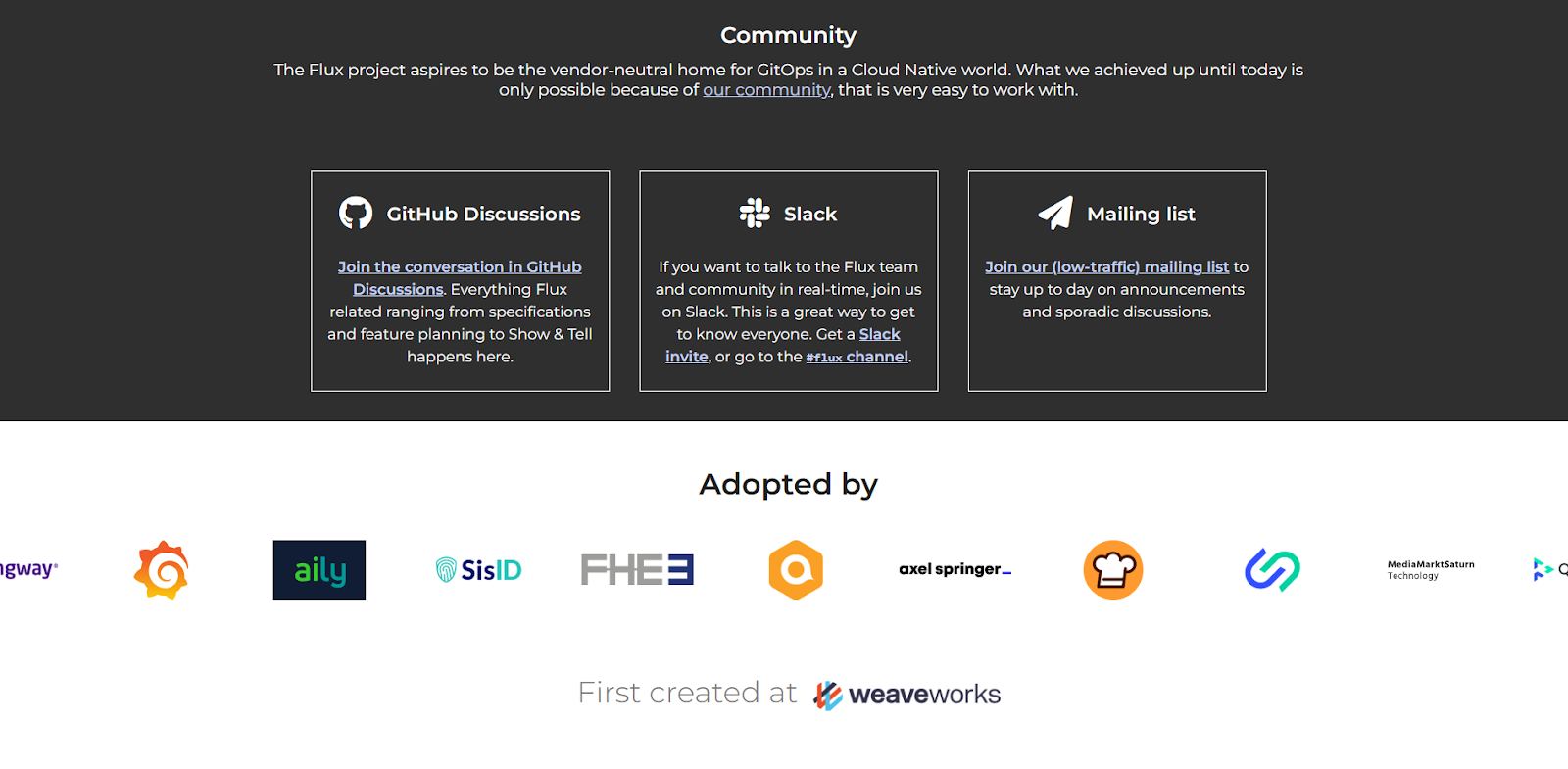
Flux has built a reputation for having an engineering-driven community. Maintainers are active in Slack and GitHub, and we’ve received direct responses to questions that would otherwise linger in larger forums. This closeness is a real advantage for companies that want their engineers in touch with the people driving the project.
It’s worth noting that the support style tends to be technical, which can feel less approachable for businesses that expect enterprise-level customer support.
Argo CD has grown rapidly in popularity, supported by Intuit (its original creator) and a strong group of contributors. Its documentation is extensive, and engineers often solve issues quickly simply because someone else has hit the same roadblock before.
There’s also growing commercial support, with vendors offering enterprise-grade features and professional services around Argo CD. This gives leadership assurance that long-term support will be available if the internal team needs a safety net.
Verdict on community & support: If predictability and commercial support matter most, Argo CD is the safer option. If your team prefers close ties with maintainers and faster feedback loops, Flux delivers that.
8. Talent & hiring
Hiring and training often influence tool choice as much as features. New hires we’ve onboarded with Argo CD typically get up to speed faster because the dashboard lowers the barrier, even for those who aren’t deep in Kubernetes.
Community size reflects that accessibility too — the Argo CD subreddit has over 3,100 members, compared to about 390 for Flux, despite both subreddits being created around the same time. For your business, that difference indicates a wider talent pool and more shared knowledge to draw from.
Flux tends to attract a different profile. Engineers who are already comfortable with GitOps adapt quickly, but non-technical staff usually rely on the dev team for translation. Companies that commit to Flux often hire more seasoned Kubernetes engineers and budget extra time for training.
The benefit is that once the team is fluent, Flux usually runs quietly in the background with less day-to-day oversight.
Verdict on talent & hiring: Argo CD offers easier hiring and faster onboarding for non-engineering staff. Choosing Flux means hiring more senior engineers, but the payoff is a leaner team with long-term cost and performance efficiency.
Who chooses Argo CD vs. Flux?
In Pelotech’s work with different organizations, the choice between Argo CD and Flux almost always comes down to culture rather than raw features.
We’ve watched compliance-heavy enterprises pick Argo CD for its audit trails and dashboards, while tech-forward startups often lean toward Flux because of its lightweight, Git-first approach.
Teams that pick Argo CD usually:
- Have mixed-skill members (developers, ops, compliance, product managers).
- Operate in regulated industries where audit trails matter.
- Need quick onboarding and lower training costs.
- Value dashboards and visibility for non-technical stakeholders.
- Prefer an all-in-one ecosystem that reduces integration work.
Teams that pick Flux usually:
- Are engineering-led and comfortable with Kubernetes and Git workflows.
- Work in startups or cloud-native companies that want lightweight tools.
- Value modularity and vendor neutrality over a bundled ecosystem.
- Don’t need a UI, or prefer to build their own dashboards and integrations.
- Are willing to invest in specialized skills for long-term efficiency and flexibility.
Choosing the best GitOps tool for long-term success
The wrong GitOps tool carries both financial and human costs. On the business side, misaligned choices drive up cloud spend, create inconsistent environments, and add technical debt that slows delivery. Within organizations, unreliable deployments reduce developer trust, frustrate compliance teams, and leave leaders anxious about whether systems are truly stable.
Pelotech reduces those risks by approaching GitOps selection as a strategic business decision, not just an engineering preference. Our process includes:
- Pre-engagement assessments to uncover the real problem before recommending a tool.
- Unbiased guidance on both Argo CD and Flux, tailored to industry, compliance, and cultural context.
- Secure implementations with best practices for secrets management, RBAC, and audit trails.
- Cost and performance optimization to prevent overspending on cloud resources.
- CI/CD pipeline improvements that restore developer confidence by removing friction and delays.
What you get is a GitOps foundation aligned with your culture and business priorities. Whether the right fit is Argo CD, Flux, or a hybrid approach, Pelotech ensures your deployment workflows become a source of speed, security, and confidence — and a long-term advantage for your business.
Frequently asked questions on Argo CD vs. Flux
Can Argo CD and Flux be used together in the same organization?
Yes. Some teams use Flux for multi-cluster management because it’s lightweight, while layering Argo CD on top for visibility and audit trails in regulated environments. Pelotech has designed hybrid setups where product managers rely on Argo dashboards while engineers keep Flux as the Git-first source of truth.
Do these tools replace my CI/CD pipelines, or work alongside them?
Neither Argo CD nor Flux fully replaces CI/CD. They handle the “CD” side, syncing your clusters with Git, but you’ll still need CI for building, testing, and packaging. The real question is how much you let GitOps drive your deployments. Some companies push almost everything through Git, while others keep traditional pipelines and use GitOps for stability.
How hard is it to migrate from Flux to Argo CD, or vice versa?
Migration isn’t plug-and-play. While both tools are GitOps-based, they define resources differently. Moving from Flux to Argo CD may require reworking HelmRelease and Kustomize manifests into Argo applications. The reverse is also true. Pelotech often advises clients to run both tools in parallel during phased migrations to avoid downtimes.
What’s the difference between Helm and Kustomize?
In Kubernetes, applications often need to be packaged so they can be deployed consistently across environments. Helm works like an app store for Kubernetes and makes it easy to install the same app in many places. Kustomize, on the other hand, lets teams adjust settings for each app to match different environments, without copying and pasting files. Rather than pick one over the other, teams use Helm to deploy an app consistently across clusters, then apply Kustomize overlays to fine-tune configurations for staging, production, or region-specific needs.
