

.webp)
Chances are, you already have something in place to deploy your applications. Maybe a CI pipeline running helm upgrade on every merge, or maybe you've been told to look at Argo CD or Flux by name. Now you're trying to work out whether a dedicated GitOps tool is worth adding, and if so, which one.
The options you’ll encounter generally fall into three categories:
- In-cluster controllers ( e.g Argo CD, Flux, Sveltos, Rancher Fleet): an agent runs inside your cluster and continuously corrects drift against Git on its own.
- Pipeline-driven tools (e.g Helmfile): no controller at all; Your existing pipeline applies changes declaratively each time it runs, but nothing watches for drift in between.
- Platforms with GitOps attached (e.g Spinnaker): broader delivery or fleet-management systems where GitOps is one feature among several.
We've run GitOps implementations across client environments of every size, from SaaS scale-ups to regulated, government-adjacent platforms. So, we've seen where each category earns its keep and where it doesn't. Here's a quick overview of which one tends to fit which situation:
That said, knowing the category isn't enough. Within each one, the options look remarkably similar. Most reconcile from Git, handle Helm charts and Kustomize overlays, and claim to scale. The differences that actually matter show up in cost, team size, compliance needs, and the amount of engineering time you'll spend keeping the thing running.
To cut through that, we evaluated the leading tool in each category across:
- Reconciliation model (pull vs. push)
- Multi-cluster and multi-tenant support
- Access control and audit trail
- Learning curve for your team
- Total cost, including engineering hours
Here are the top options we found and who they are best fit for:
- Argo CD: Teams running several clusters or namespaces who want deployment status visible to developers.
- Flux: Experienced teams who want a lightweight, composable tool that treats Git as the single source of truth without a dashboard.
- Sveltos: Teams managing add-ons and applications across many clusters.
- Codefresh: Enterprise teams already committed to Argo CD who would rather pay for a supported, managed version.
- Helmfile: Small-to-mid teams already comfortable with Helm who want their deployments declarative and in Git, without running another controller inside the cluster.
- Rancher Fleet: Teams running many clusters and already using Rancher.
- Spinnaker: Large teams doing complex, multi-cloud releases and for whom GitOps is one requirement among several.
1. Argo CD
Best fit: Teams running several clusters or namespaces who want deployment status visible to developers, not just platform engineers.
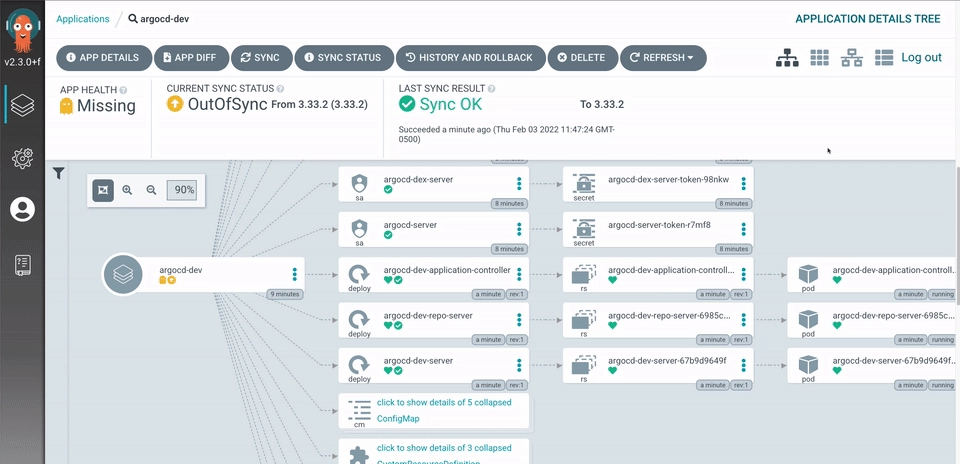
Argo CD is the most widely adopted GitOps controller. It runs inside your cluster, continuously comparing what's actually running against what's declared in Git. When the two drift apart, it flags the difference, and either corrects it automatically or waits for your approval to sync.
Weighed against the four factors that decide most tool choices, Argo CD holds up well.
On delivery speed, changes merge to Git and Argo CD applies them, with one-click rollback to any previous commit and a live view of what's syncing. And because it’s the most popular tool in the category, engineers who already know it are easiest to find, and the dashboard flattens the learning curve for the ones you have, letting developers see and troubleshoot deployments without deep Kubernetes knowledge.
To enable compliance, it provides certain features:
- Built-in RBAC and multi-tenancy keep teams walled off from each other
- SSO integrates with the usual providers (OIDC, OAuth2, LDAP, SAML)
- Every application event and API call is logged for audit.
You get all these without paying a dime, as it's free and open source, backed by the CNCF.
However, at high application counts, you should expect your engineers to sometimes spend a significant portion of their work hours tuning the platform. Setting it up can also be a big challenge, especially when it involves multiple clusters and complex automations. That’s why some organizations prefer to engage ArgoCD consultants, especially when they lack sufficient expertise on their team.
Where it isn't the right fit: It’s not the best fit if you run a single cluster with a fixed set of environments and a pipeline that already works.
Next is Flux, one of Argo CD’s closest alternatives. For a deeper comparison of the two, read our full Argo CD vs. Flux guide.
2. Flux
Best fit: Experienced teams who want a lightweight, composable tool that stays out of the way and treats Git as the single source of truth, without a dashboard inviting manual clicks.
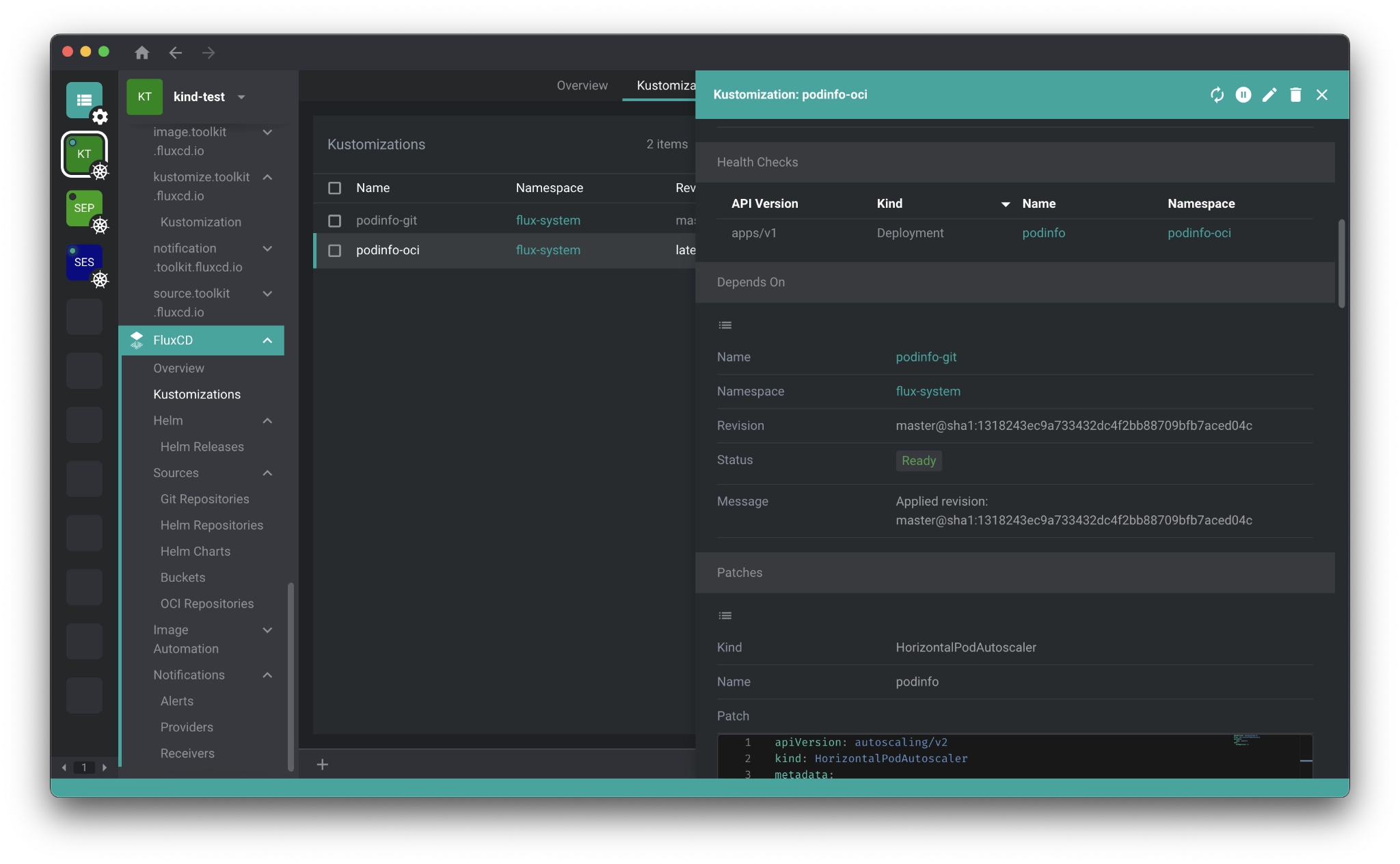
Flux is a CNCF Graduated project built as a set of specialized controllers rather than one monolithic application. Each handles a distinct job, such as pulling sources, applying Kustomize overlays, managing Helm releases, sending notifications, and automating image updates. You can simply assemble the pieces you need.
Like Argo CD, it runs inside the cluster and continuously reconciles live state against what's declared, reverting manual changes automatically unless you suspend it. It can also pull from OCI registries or S3-compatible storage instead of Git, an approach the Flux team pioneered for teams that don't want their Git server to be a production dependency.
Fluxcd has strong compliance capabilities, thanks to:
- True Kubernetes RBAC via impersonation
- Integration with policy engines like OPA and Kyverno
- Native secrets handling through SOPS or Sealed Secrets
- Multi-tenancy and multiple source repositories supported out of the box.
It’s free, open source, and backed by CNCF. But the real price here is the skill it demands. Since there's no bundled dashboard, your team will have to work through the CLI and manifests. This means a steeper ramp and a smaller pool of engineers who already know it compared to ArgoCD.
Fortunately, most engineers who know Flux tend to understand what's actually happening, because there's less abstraction sitting between them and the infrastructure.
Where it isn't the right fit: Teams who want developers troubleshooting deployments visually, or who don't have the Kubernetes depth to operate a CLI-driven tool comfortably.
3. Sveltos
Best fit: Teams managing add-ons and applications across many clusters, especially across mixed environments like on-prem, cloud, and edge.

Sveltos extends the capabilities of Argo CD and Flux. It runs in a central management cluster and distributes configuration out to a fleet of managed clusters, selecting targets by label rather than by name. When a new cluster joins and carries the right labels, it's picked up automatically with no config change needed.
You can even use Sveltos to install Argo CD or Flux onto those clusters, then hand off app-level GitOps to them.
Managing many clusters at once is the whole point. Sveltos spots new clusters on its own, matches configuration to them by label, and rolls out changes to every matching cluster from one central file. It can also set up bare, empty clusters from scratch.
However, Sveltos is a young, small project with a fraction of the community and adoption of the category leaders. Engineers who already know it are rare, and documentation and real-world examples are thin.
That said, if you're genuinely running many clusters and need to keep them consistent, Sveltos may well be the right call.
As for compliance, multitenancy is built in. ClusterProfile handles fleet-wide policy, Profile handles namespace-scoped tenant isolation, and agent-based drift notification runs across the whole fleet.
Although it’s open source, Svetlos also has a separate commercial enterprise offering which offers support if you need it.
Where it isn't the right fit: If you have a single cluster, or a handful of static ones, Svetlos solves a problem you don't have, and a purpose-built controller (or your existing pipeline) will be simpler.
4. Codefresh
Best fit: Enterprise teams already committed to Argo CD who would rather pay for a supported, managed version than run and maintain it themselves.
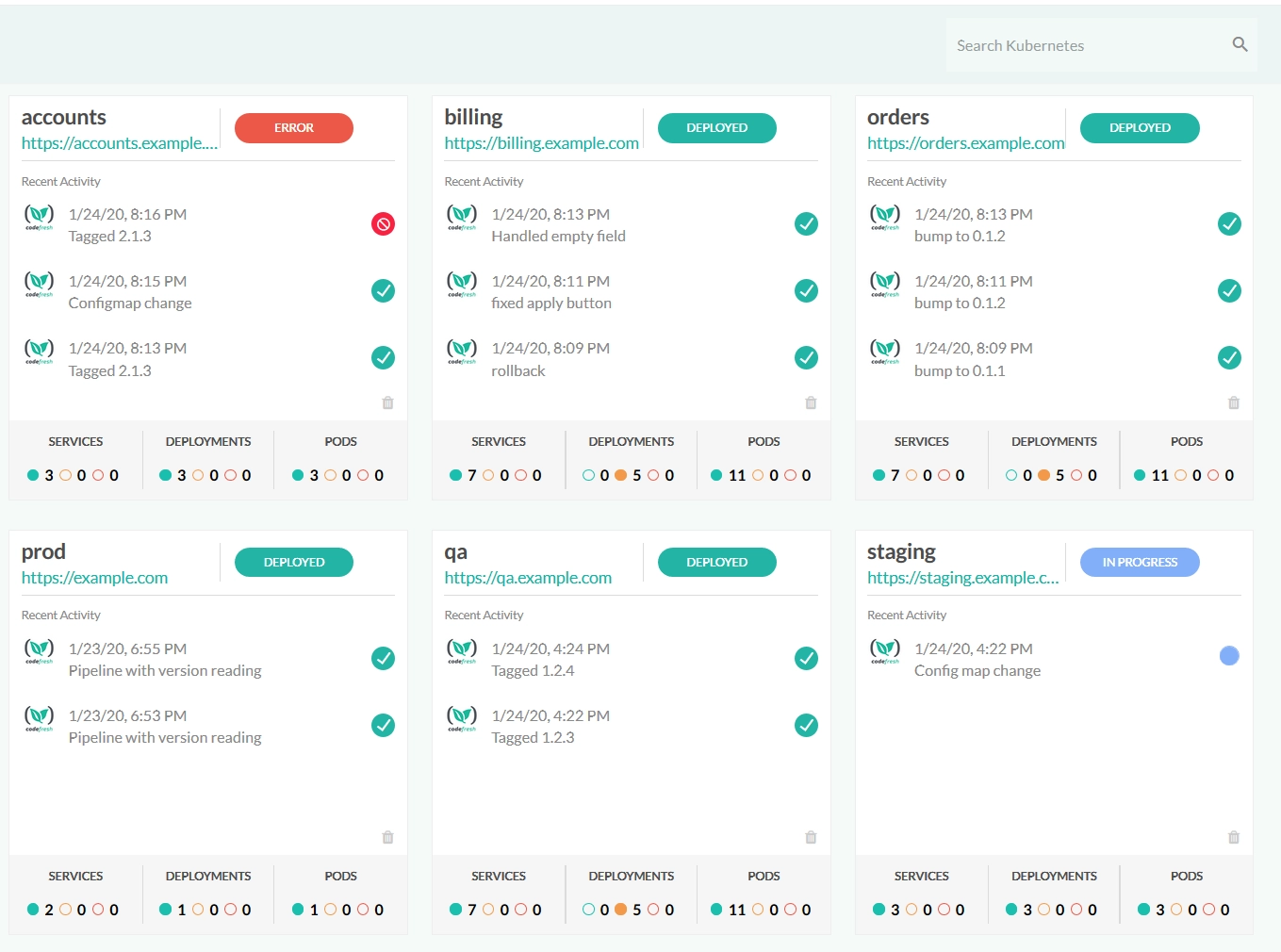
Codefresh is essentially a commercial version of the whole Argo family (Argo CD, plus Rollouts, Workflows, and Events) packaged into a single vendor-supported platform with a hosted control plane on top.
Because Argo CD runs underneath, Codefresh inherits its core capabilities, such as reconciliation, the sync model, and GitOps workflows. What's different is that Codefresh handles upgrades and stability, provides unified dashboards across all your clusters, and offers ongoing support.
Unlike ArgoCD, Codefresh charges a subscription fee. In return, they take responsibility for operating, patching, and upgrading the platform, freeing your engineering team to focus on higher-value work. Whether that trade-off is worthwhile ultimately depends on the size of your cluster and how much time your engineers currently spend maintaining ArgoCD.
Codefresh also adds capabilities that ArgoCD does not provide out of the box. For example, it automatically tracks key DORA metrics (including deployment frequency, lead time, recovery time, and change failure rate) and presents them in dashboards that product owners and managers can understand without involving DevOps in every status request.
Compliance also becomes easier to manage. A centralized control plane provides built-in traceability, while image enrichment connects each deployment to its related Jira issues, pull requests, and commits. The result is a clear audit trail without the need for additional tooling.
Where it isn't the right fit: Codefresh may not suit teams already comfortable managing Argo CD, since the subscription adds limited value. It also introduces vendor dependency and typically trails upstream Argo CD releases by about 30 days.
5. Helmfile
Best fit: Small-to-mid-sized teams that already use Helm and want Git-based, declarative deployments without running another controller in the cluster.

Helmfile is not a GitOps controller. It does not continuously watch the cluster or correct drift. Instead, it provides a declarative layer on top of Helm, letting you define releases, environments, and values in a single helmfile.yaml file stored in Git. Your pipeline runs Helmfile, and Helm performs the actual deployment.
Its strength is simplicity. It works with existing CI systems, shows proposed changes before applying them, and is easy for Helm users to adopt. Git and pipeline logs provide version history, review, rollback, and auditability, while the lack of an in-cluster agent keeps operational overhead low.
Helmfile is also free and open source. And because most Kubernetes teams already understand Helm, the learning curve is relatively small, making it easier to hire for and onboard.
The trade-off is that it only acts when the pipeline runs. Manual changes, deleted resources, or configuration drift can go unnoticed between deployments. That makes it less suitable for environments where continuous reconciliation or large-scale multi-cluster management is important.
Where it is not the right fit: Helmfile becomes less suitable when continuous reconciliation is important. In environments where drift is a serious risk or many clusters must be managed at once, its simplicity can become a limitation rather than a strength.
6. Rancher Fleet
Best fit: Teams managing many clusters (especially those already using Rancher) that need to deploy consistently across all of them from a central place.
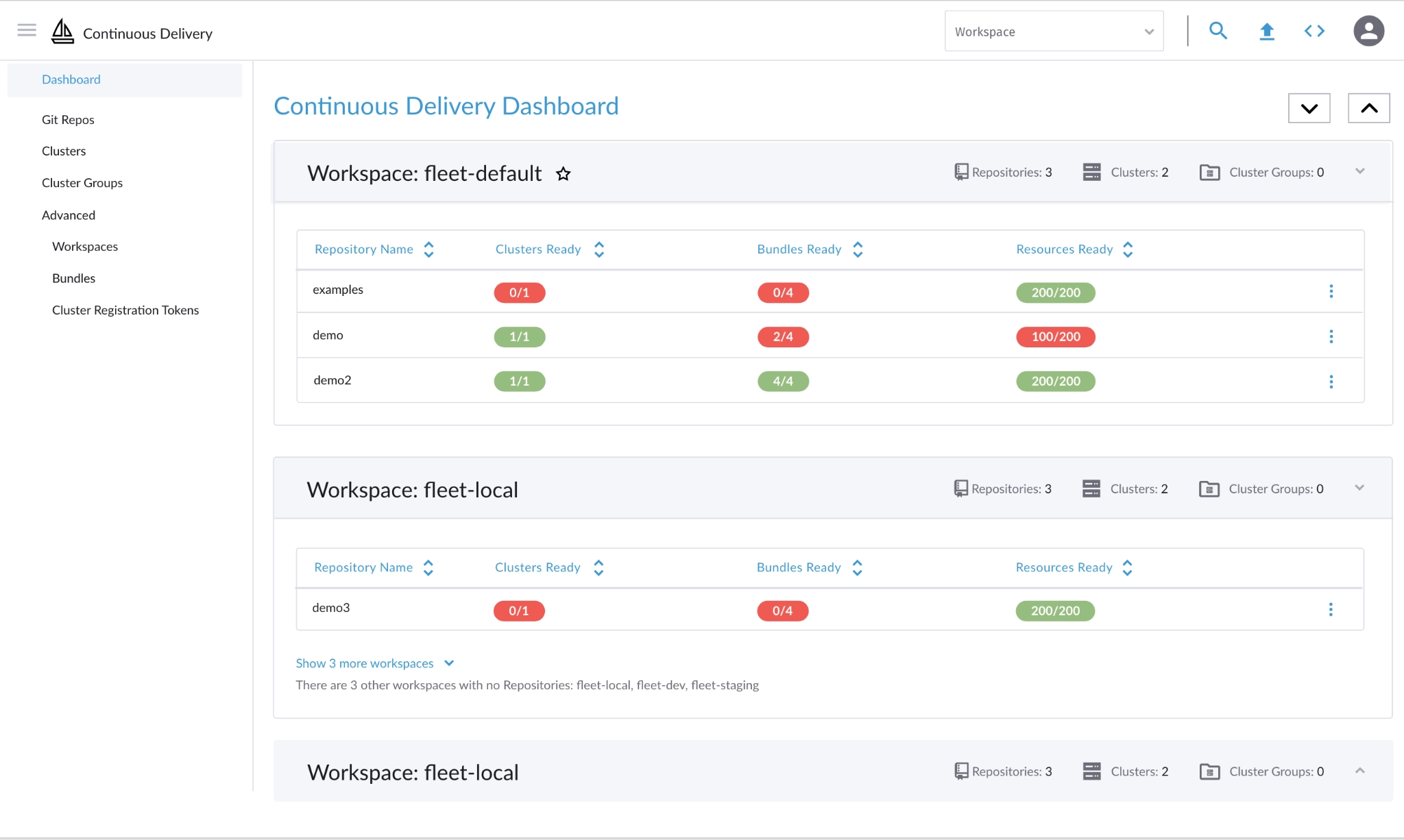
Fleet is a true GitOps engine made up of controllers that continuously deploy changes from Git. It can run independently on any Kubernetes cluster through Helm, but it is most commonly used as Rancher’s built-in Continuous Delivery feature.
While it can manage a single cluster, Fleet’s real value appears when deployments must be coordinated across a large fleet.
Teams can deploy raw YAML, Helm charts, or Kustomize configurations, with Fleet converting them into Helm releases behind the scenes. Cluster groups, workspaces, and targeting rules make it possible to control exactly where each change is applied. Once the Git repository is updated, Fleet automatically distributes the change across every matching cluster.
For teams already using Rancher, adoption is relatively straightforward because Fleet is integrated into the existing interface and operating model. Outside Rancher, the learning curve may be steeper, particularly because Fleet has a smaller community.
One limitation is that Git repository secrets are not currently included in Fleet backups, so they must be recreated manually during disaster recovery.
Fleet is free and open source, whether it is used independently or as part of Rancher, so there are no licensing fees.
Where it is not the right fit: Fleet is usually unnecessary for a single cluster or a small number of stable clusters, particularly when Rancher is not already in use.
7. Spinnaker
Best fit: Large teams managing complex, multi-cloud releases that need advanced deployment strategies and see GitOps as one part of a broader delivery platform.
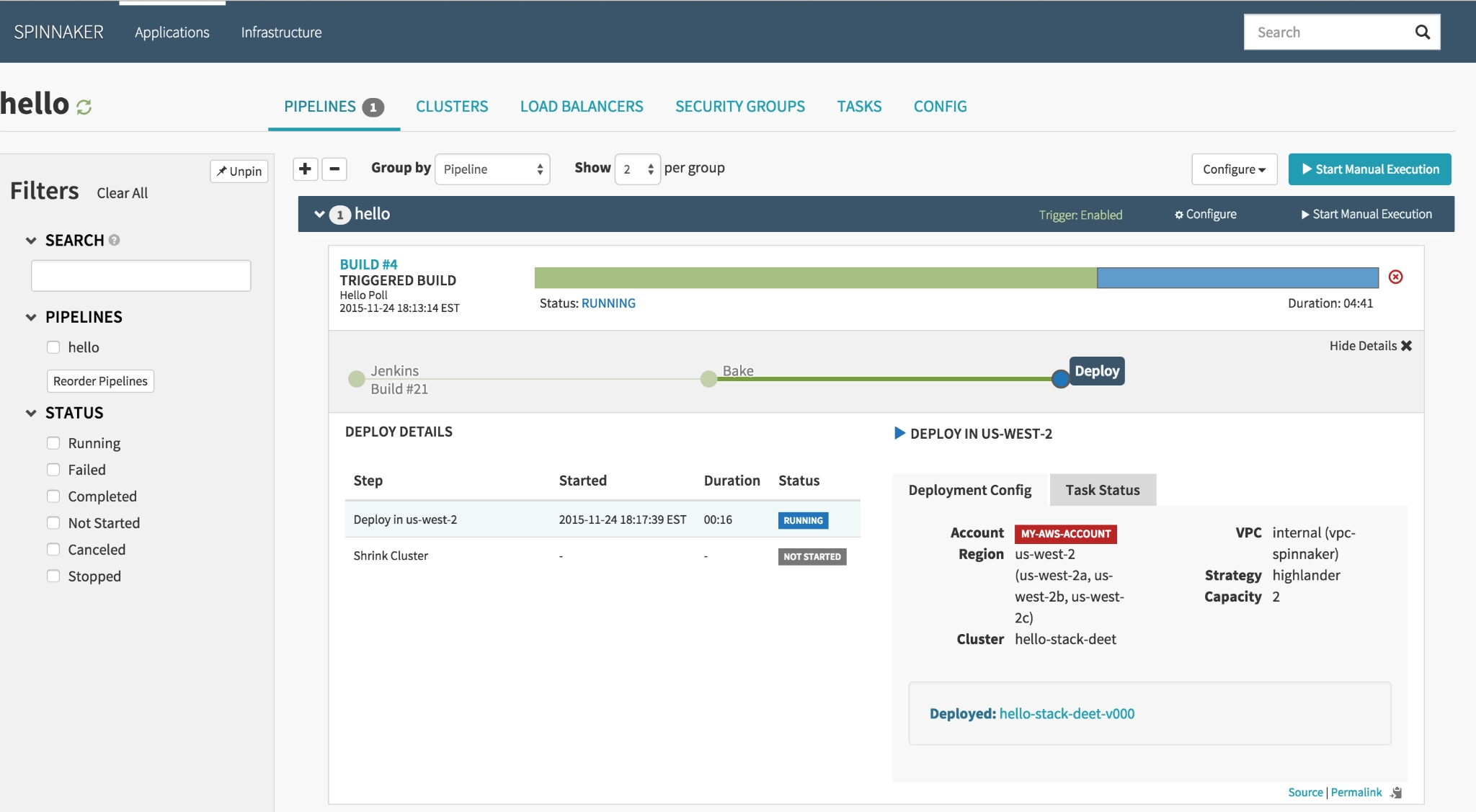
Spinnaker is a multi-cloud continuous delivery platform, originally developed at Netflix, that can be configured to support GitOps workflows.
Spinnaker’s strength lies in sophisticated deployments across multiple environments and cloud providers. It supports strategies such as blue-green, canary, and rolling deployments, along with automated canary analysis that uses monitoring data to evaluate release health. Rollbacks can be triggered manually or automated when a deployment fails.
That power comes with significant complexity. Spinnaker has a steep learning curve, a smaller talent pool than many GitOps-native tools, and substantial operational overhead. Running it reliably often requires dedicated expertise.
Its compliance capabilities are strong. Spinnaker supports common authentication and authorization providers, allows manual approval stages between environments, and maintains detailed deployment histories and audit records across the platforms it manages.
Although Spinnaker is free and open source, it is the most demanding tool on this list to deploy and maintain.
Where it is not the right fit: Spinnaker is usually excessive when the main requirement is Kubernetes GitOps. In that case, a GitOps-native controller will be simpler and less expensive to operate.
How to Choose the Right GitOps Tool
GitOps tools overlap more than their marketing suggests. Most deploy from Git, support Helm and Kustomize, and claim to scale. The real difference is how well each one fits your environment. Working through the following six questions will usually narrow the shortlist quickly.
- Continuous reconciliation: A pipeline may be enough for a few stable environments with little configuration drift. For many clusters or frequent manual changes, a controller that continuously restores the desired state is more suitable.
- Deployment visibility: Command-line tools may be sufficient for platform teams. A dashboard becomes more valuable when developers, support teams, or release managers also need to check deployments or troubleshoot issues.
- Security and compliance: Consider the audit trail, access controls, team isolation, and where production credentials are allowed to live. The tool should support both your regulatory requirements and security model.
- Operational effort: Licensing may be free, but maintenance is not. Compare the time required to install, monitor, patch, upgrade, and troubleshoot each option with your team’s available capacity.
- Staffing: Widely adopting tools are usually easier to hire for, learn, and support. More specialized tools may offer a better technical fit but require more training and create greater dependence on a smaller group of experts.
- The underlying problem: Confirm that tooling is the real constraint. Problems such as poor secrets management, unclear ownership, bootstrapping issues, or unreliable processes will not necessarily be solved by introducing another platform.
What Tool Choice Actually Costs You
Almost every tool in this guide is free. Even so, GitOps rollouts can become a significant recurring expense when the tool is poorly implemented, misconfigured, or chosen before anyone confirms it is the right solution.
At Pelotech, we’ve seen this across multiple GitOps implementations. And it is why we:
- Assess before recommending: We review your clusters, pipelines, and team structure first, and tell you when your current setup does not need replacing.
- Choose the best fit: Our experience across Argo CD, Flux, and other GitOps tools means recommendations are based on your needs, not a preferred product.
- Use senior engineers throughout: The people who scope the work also deliver it, reducing handoffs, missed details, and rework.
- Challenge the brief when needed: If the real problem is pipeline design, secrets management, or team structure, we say so, even when that means less work.
- Support you after launch: We document why decisions were made and remain available for upgrades, security issues, and unexpected edge cases.
For United Knowledge Institute, we discovered that their high cloud bill was due to the configuration beneath it, not the GitOps tool. Identifying and fixing the configuration issue (rather than introducing another tool) reduced their annual cloud bill by roughly $500,000, cut manual work in half, and helped them reach their goals two to three times faster than planned.
If you want to hire a diagnostic partner to work with you to ensure your GitOps implementation process doesn’t cost you in the long run, book an infrastructure assessment.
